





Download AIPLAY App – Ultimate Mobile Gaming for Android & iOS
Why Download the AIPLAY App? Full Access to Games Anytime, Anywhere
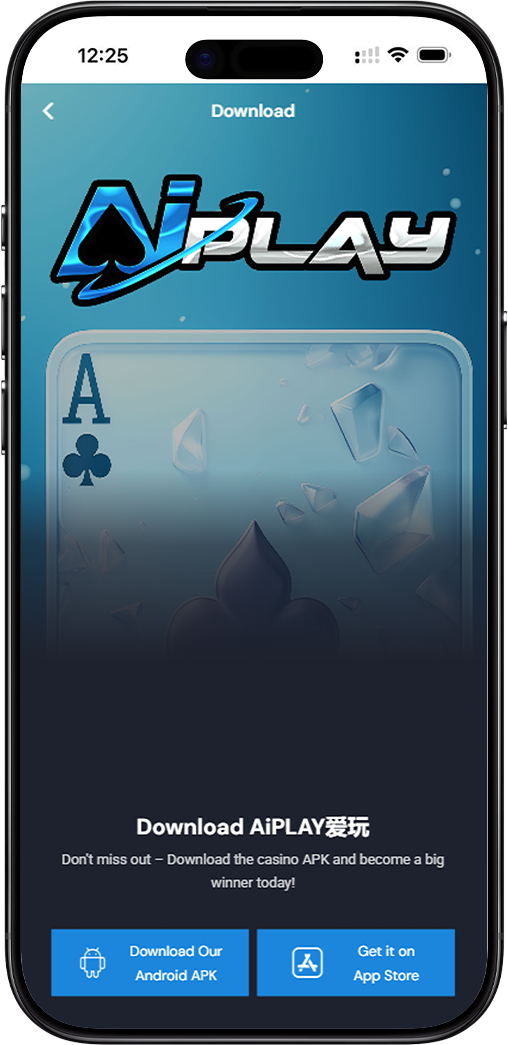
Play on the Go, Anytime You Want
The AIPLAY App puts an entire casino in your pocket. Enjoy seamless access to slots, live tables, and promotions, all optimized for smooth performance on both Android and iPhone devices.
Secure, Stable & Regularly Updated
Built for reliability, the AIPLAY App receives consistent updates to enhance stability and introduce new features. Your security is prioritized, ensuring safe and confident play every session.
How to Download the AIPLAY App – Step-by-Step Guide
Download on Android
Step 1 – Tap "Download Our Android APK"
On the official download page, tap the "Download Our Android APK" button for the AIPLAY App. The file will begin downloading directly to your Android device.
Step 2 – Allow Installation from Unknown Sources
Before installing the AIPLAY App, go to your device Settings, then Security, and enable "Install from Unknown Sources" or "Allow from this source" to permit the APK installation.
Step 3 – Open & Install the APK File
Locate the downloaded AIPLAY App APK file in your file manager or notification bar. Tap it and follow the on-screen instructions to complete the installation process.
Step 4 – Launch & Log In to AIPLAY
Once installed, open the AIPLAY App, log in with your credentials, and start exploring your favourite games immediately from your mobile device.
Download on iPhone
Step 1 – Tap "Get It on App Store"
On the download page, tap the "Get It on App Store" button to be redirected to the Apple App Store, where the official AIPLAY App is available for download.
Step 2 – Tap "Get" on the App Store Page
On the AIPLAY App Store listing, tap the "Get" button. Authorize the download using Face ID, Touch ID, or your Apple ID password to begin installation.
Step 3 – Wait for Installation to Complete
The AIPLAY App will automatically download and install on your iPhone. The process typically takes less than a minute, depending on your internet speed.
Step 4 – Open & Log In to AIPLAY
After installation, tap the AIPLAY App icon on your home screen. Sign in with your registered phone number and password to access all games and features on your iPhone.
Need Help Installing the AIPLAY App? Visit Our Tutorial Page
For a detailed walkthrough on downloading and installing the AIPLAY App on your device, our Tutorial page provides comprehensive guides with visuals for both Android and iOS users.
Frequently Asked Questions About AIPLAY App Download
Is the AIPLAY App Free to Download?
Yes. The AIPLAY App is completely free to download on both Android and iOS platforms. Simply select your device and follow the steps to get started at no cost.
Is the AIPLAY APK Safe to Install on Android?
Absolutely. The AIPLAY App APK is officially distributed and undergoes regular security scans. Always download directly from the official source to ensure you receive the genuine and safe version.
What If the AIPLAY App Is Not Available in My App Store Region?
If the AIPLAY App does not appear in your regional App Store, you can switch your Apple ID region or use the Android APK option. Contact AIPLAY support for additional assistance if needed.
Get the AIPLAY App & Start Winning Today
Download the AIPLAY App now on your Android or iPhone and carry your favourite games wherever you go. AIPLAY members enjoy exclusive mobile promotions, fast deposits, and instant withdrawals — all from one powerful app. Join thousands of players already winning on the AIPLAY App.